Preview
Screens from the current build.
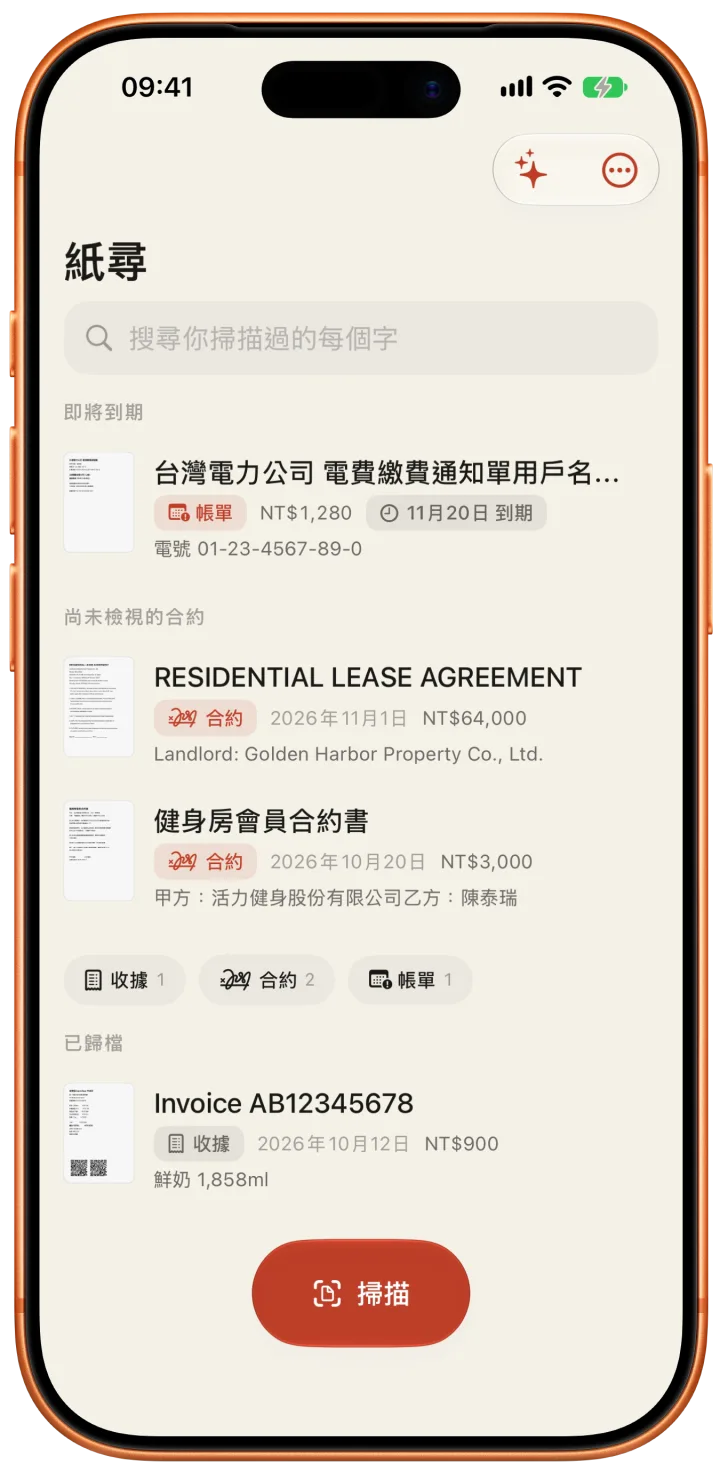
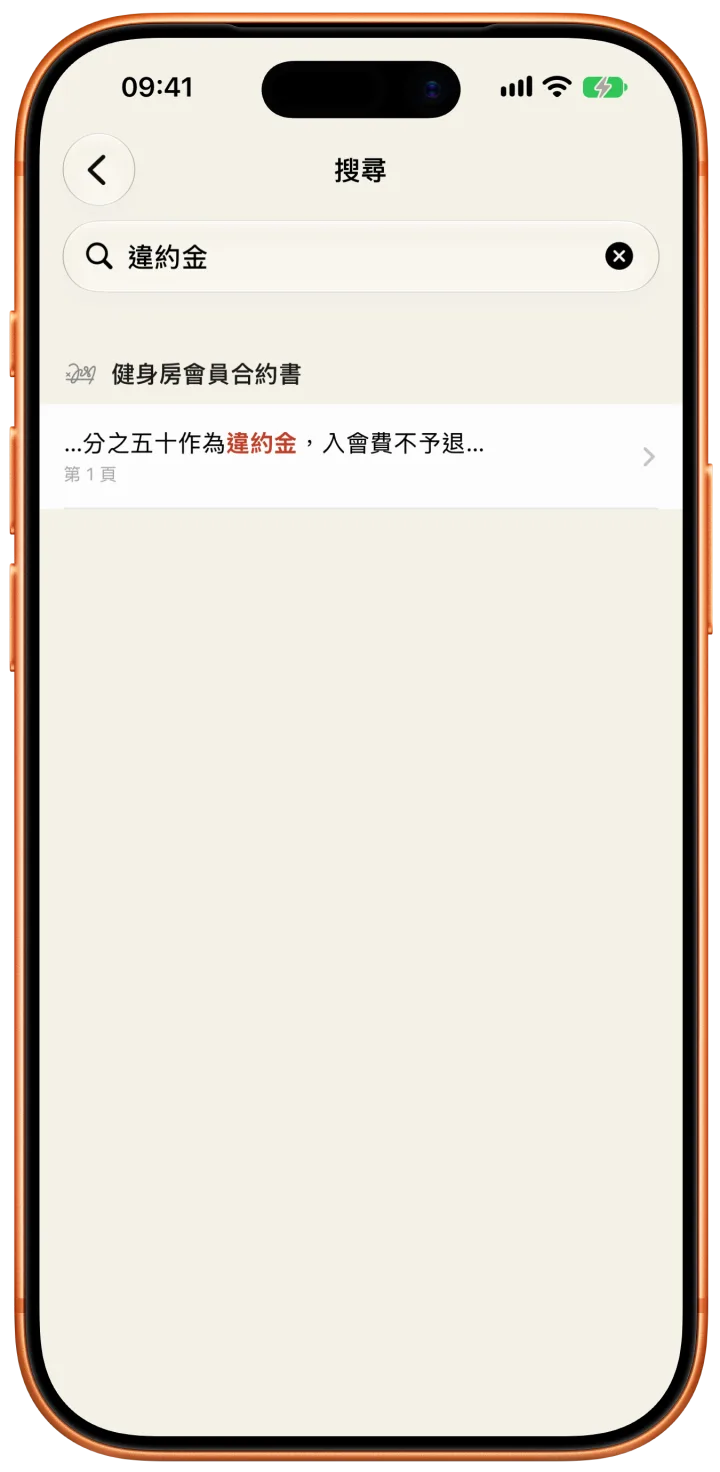
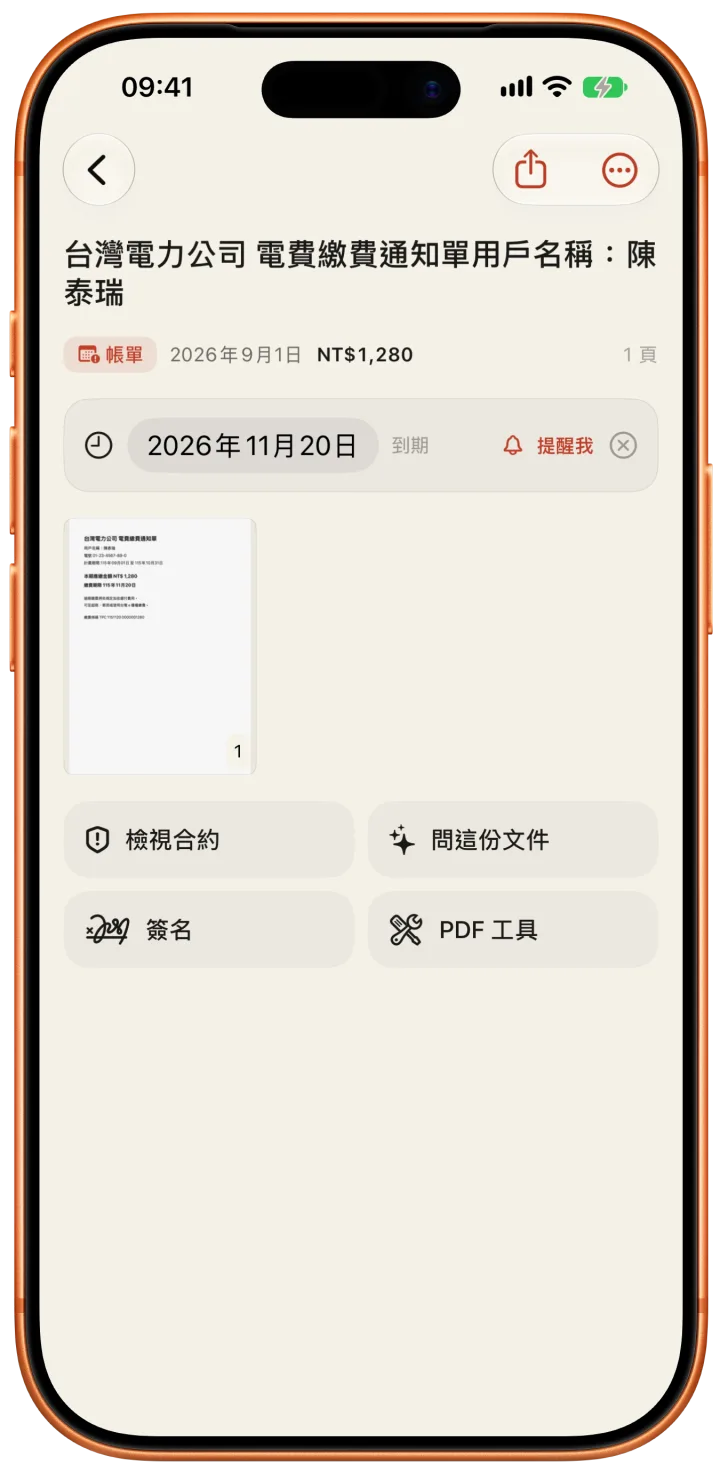
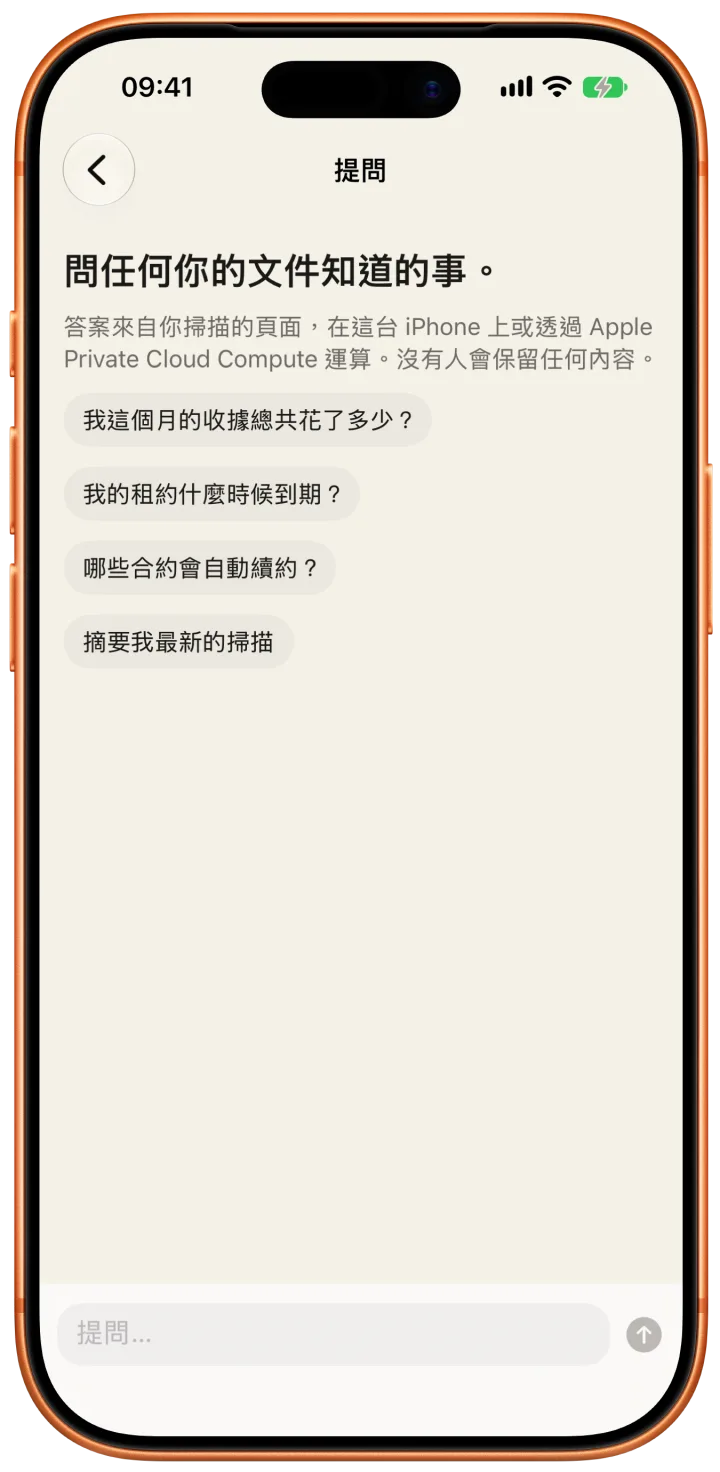
Contracts, bills, receipts and school letters become searchable PDFs. Type one word from the page and jump straight to it. No account. Text is read on your iPhone.
Testers get a TestFlight invite by email. How to scan a document with iPhone
Screens from the current build.
A PDF scanner app for iPhone that remembers what every page says.
Each page gets an invisible text layer, so the PDF is searchable in Kamiseek, in the Files app and in any PDF reader. Spotlight finds your scans too.
Each scan is sorted by kind (contract, bill, receipt, insurance, tax, warranty and more) into smart folders, and gets a real title.
Due dates are read from the page. Due soon on Home lists what needs attention in the next 30 days, and Remind me sends a notice on the day.
No sign-up, no login, no ads, no third-party SDKs. Recognition happens on your iPhone and works offline. Scans are ordinary PDFs in Files.
Point the camera at a page. Edges are found, the page is flattened, and the text is read on your iPhone.
Type "renewal" or "deposit" and jump straight to the page, with the match highlighted.
Sign with your finger or Apple Pencil, reorder or rotate pages, then share an ordinary PDF.
Yes. Every page carries an invisible text layer, so the PDF is searchable in the Files app, as a mail attachment and in any PDF reader.
Nowhere. There is no account and no login. Text is read on your iPhone, and scanning, recognition and search work offline. Scans are ordinary PDFs in a Kamiseek folder in the Files app.
iOS 27 or later. Contract review and Ask need an iPhone that supports Apple Intelligence; everything else works on any iPhone that runs iOS 27.
Tap Test it on iPhone and leave your email. When the test build is ready we email you a TestFlight invite.
Sign up as a tester and try Kamiseek on your iPhone before it reaches the App Store.